
See how Client Approve runs your client work end-to-end
One workspace for agencies and freelancers to send work, collect feedback, get approvals, and trigger invoices — with a simple portal your clients actually like using.
14-day free trial. No credit card required. Clients don’t need accounts or logins.
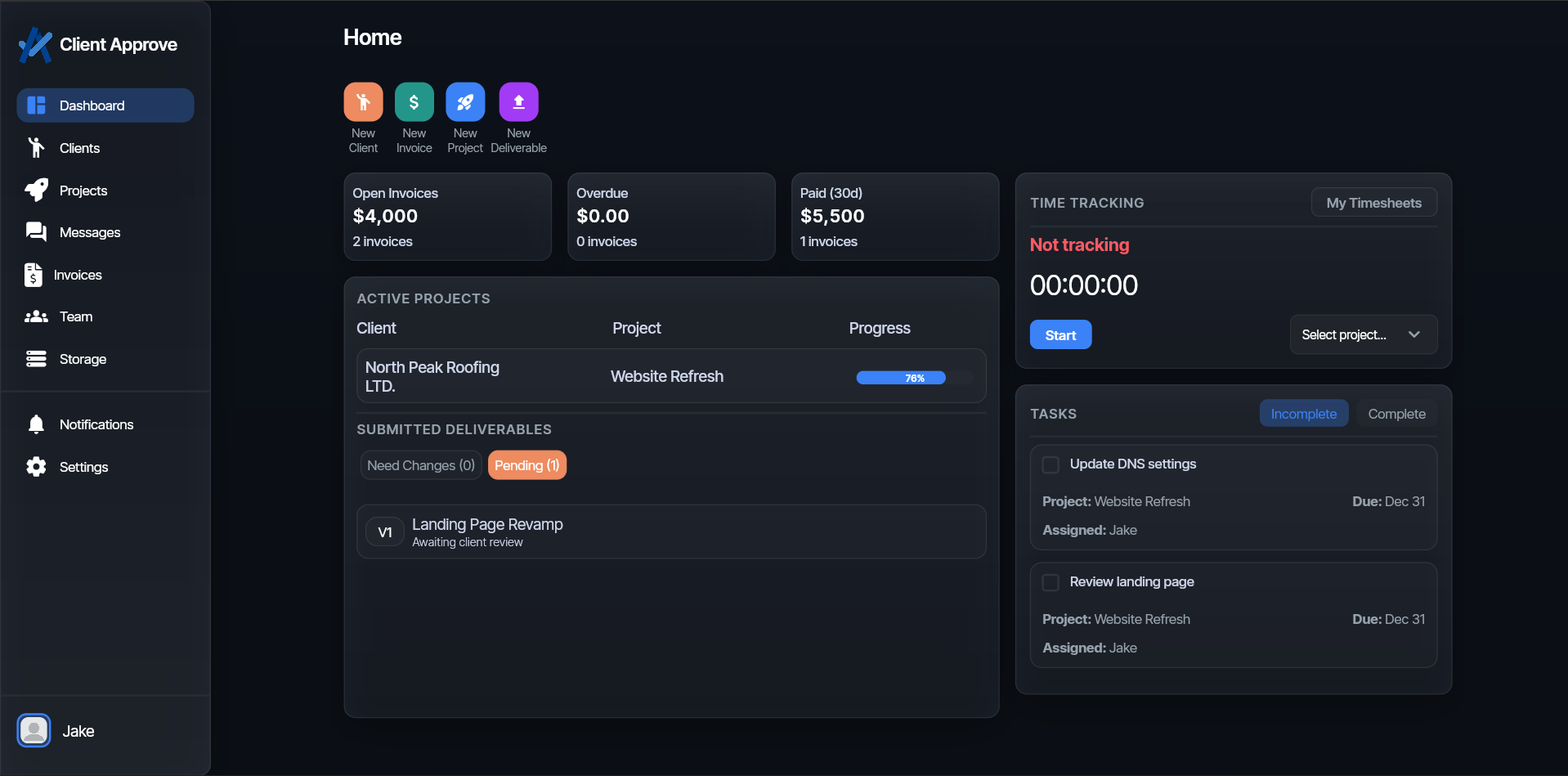
Your clients see a portal. You see the cockpit behind it.
Client Approve keeps a clean, client-friendly view in sync with your internal workspace. Same projects, different perspectives — so everyone sees what they need without stepping on each other.
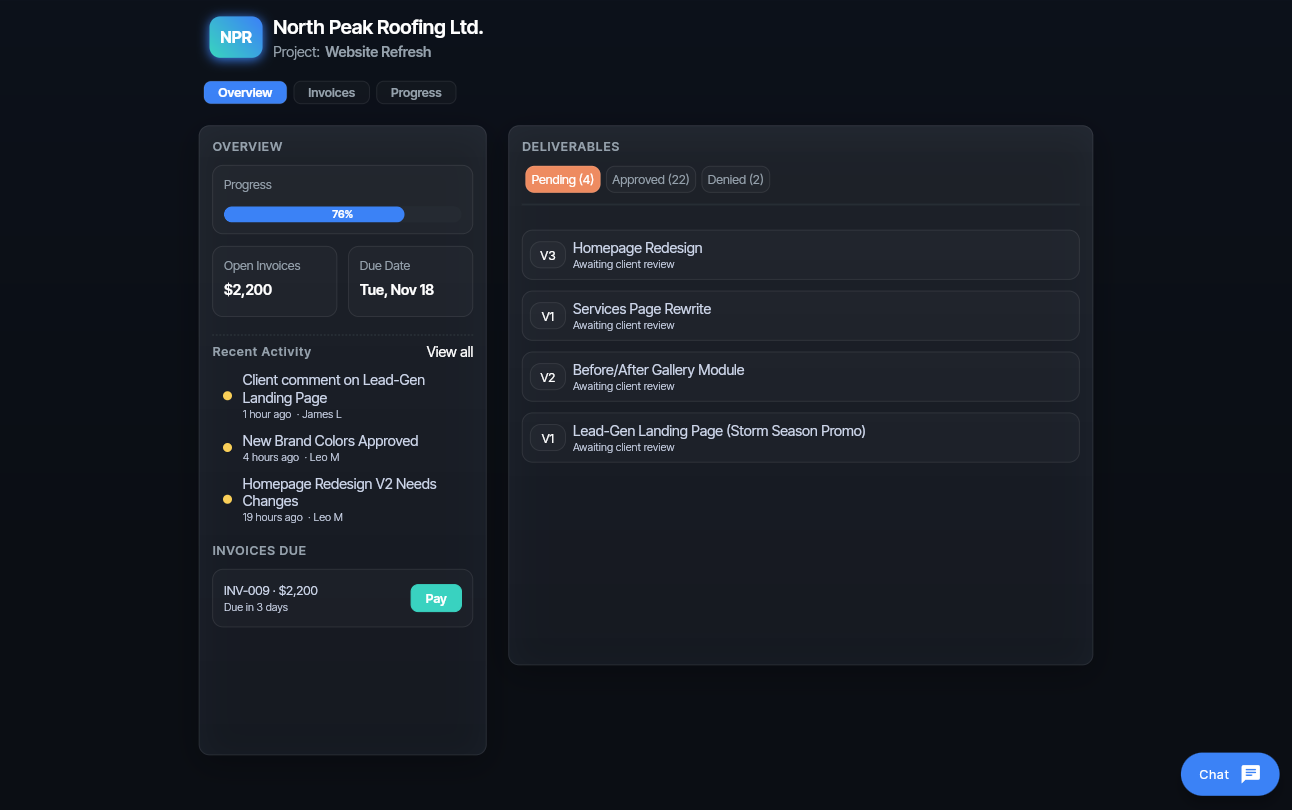
Client portal — zero learning curve
Clients click one password-protected link and land on a simple portal: projects, deliverables, invoices, and messages. No logins, no apps, no “what’s the link again?”.
- Clean list of projects with clear statuses and due dates.
- Deliverables grouped by project, with latest versions on top.
- Approvals, invoices, and retainers visible in one place.
- “Here’s everything you’ve sent us.”
- Simple actions: approve, request changes, pay.
- Clear next steps without long email threads.
- Which client is stuck and why.
- Who owes feedback vs who owes payment.
- What’s ready to ship and what’s blocked.
Agency workspace — your side of the glass
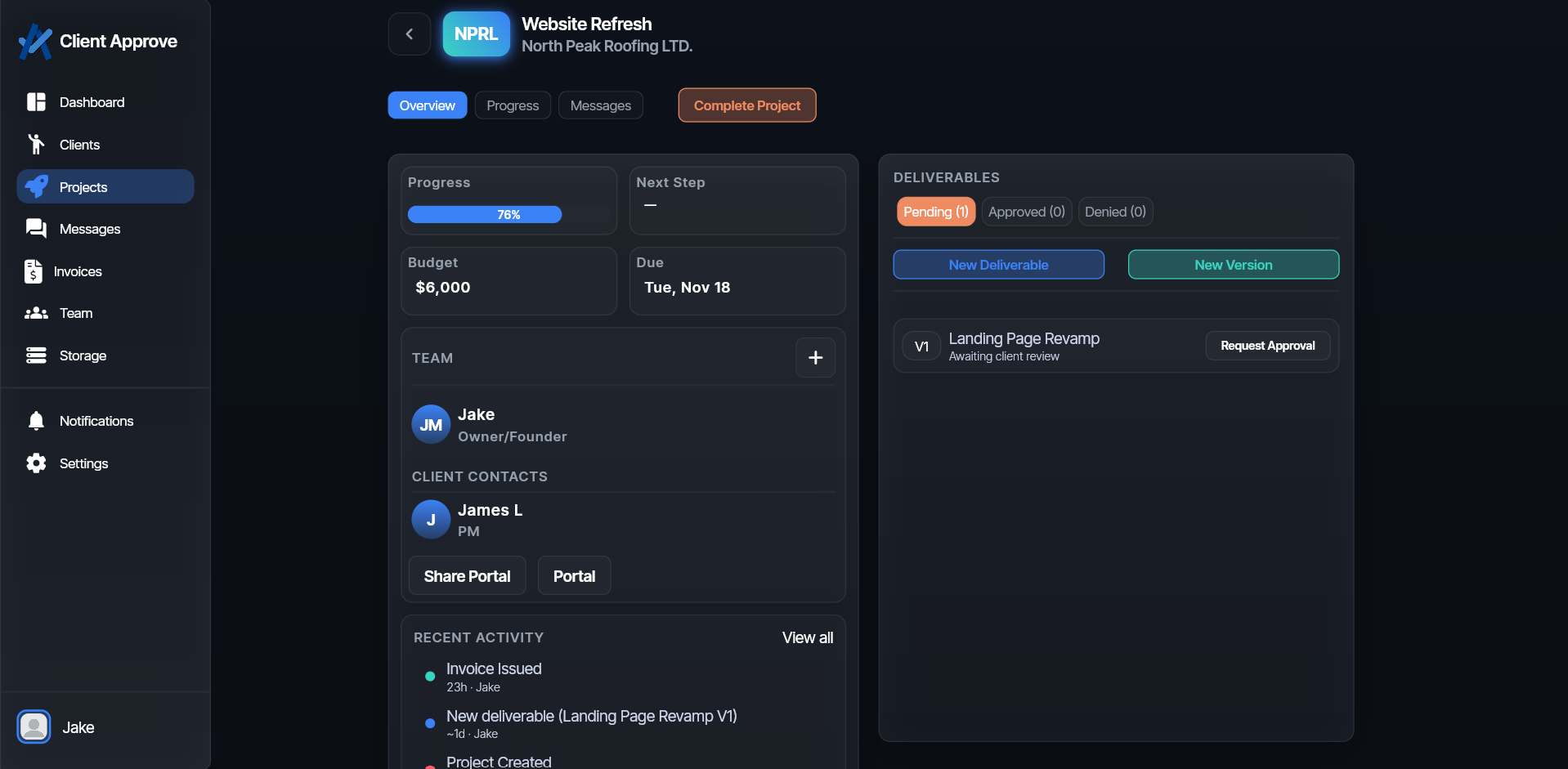
Behind the portal is your workspace: every client, project, deliverable, and invoice in one place. It’s where you upload work, manage versions, and keep approvals moving.
- Global view of all projects and which ones are held up.
- Per-client pipelines so you know exactly what’s in progress.
- Searchable history of every file, comment, and approval.
Every file in one place — with clear, trackable decisions.
Stop wondering which attachment is final or where feedback lives. Client Approve keeps every version and every comment in one flow, so work moves from “sent” to “approved” without getting stuck in inboxes.
Versioning that doesn’t create more chaos
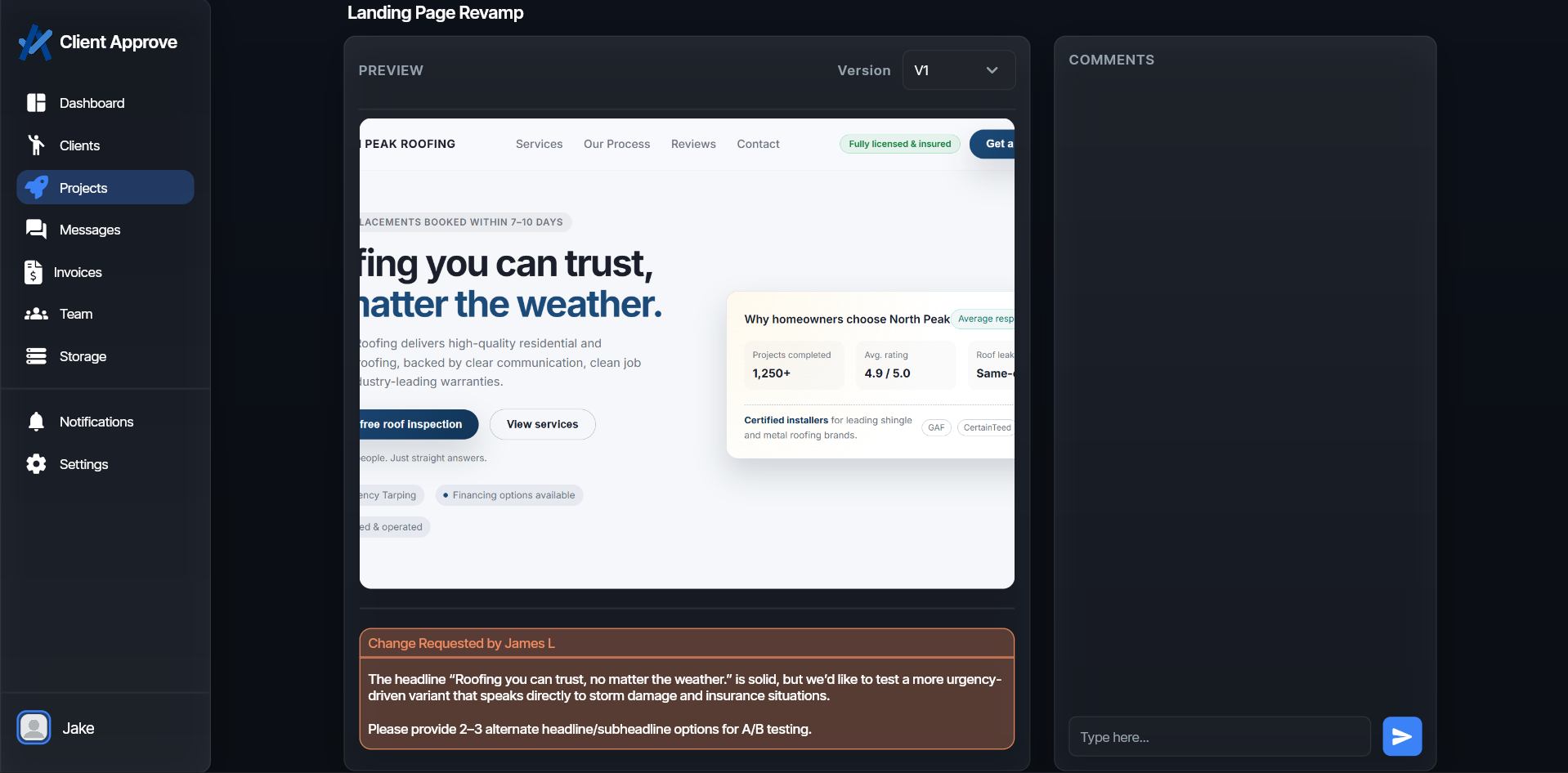
Upload new versions without losing track of what came before. Clients see one clean stack of files per deliverable, and you keep a full history for your own records.
- Highlight the current version while keeping past versions accessible.
- Attach notes so clients know exactly what changed and why.
- Roll back or reference old files without digging through email.
How approvals actually move forward
- Send the link. Clients open a single, secure portal instead of a messy email thread.
- Attach context. Add notes, due dates, and what “approved” means so there’s no guesswork.
- Capture a decision. Clients click approve or request changes — you get a clear answer, not vague replies.
- Ship and bill. Approved work rolls straight into your delivery and billing flow.
Structured, not scattershot
Comments live next to the actual file — not buried in a reply-all chain.
Actionable feedback
Clients respond to a specific request: approve, change, or clarify — not “thoughts?”
Decisions you can prove
Every approval is time-stamped and attached to a version, so there’s no debate later.
Payments that feel like the natural next step.
Money shouldn’t feel like a separate argument after the work is done. When clients review deliverables and find invoices in the same space, payments feel natural instead of forced.
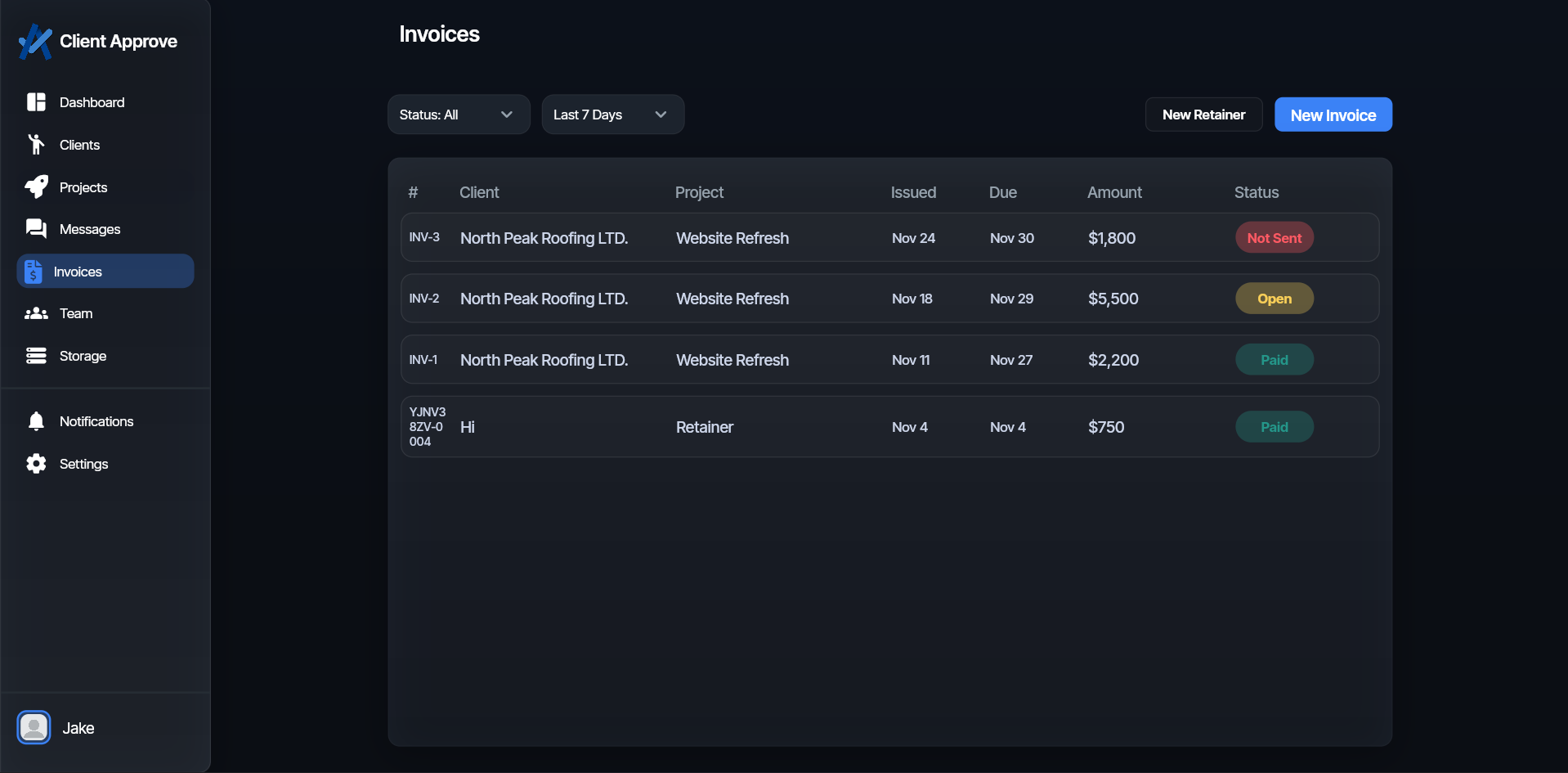
Invoices — clear, visible, and impossible to miss
Clients shouldn’t have to dig through inboxes or attachments to find what they owe. With Client Approve, invoices live in the same portal as the work they’re paying for — so payment feels obvious, not friction-filled.
- Clients see what’s paid, what’s outstanding, and what’s coming up.
- A clean, organized history of every invoice sent and settled.
Retainers — predictable for them, stable for you
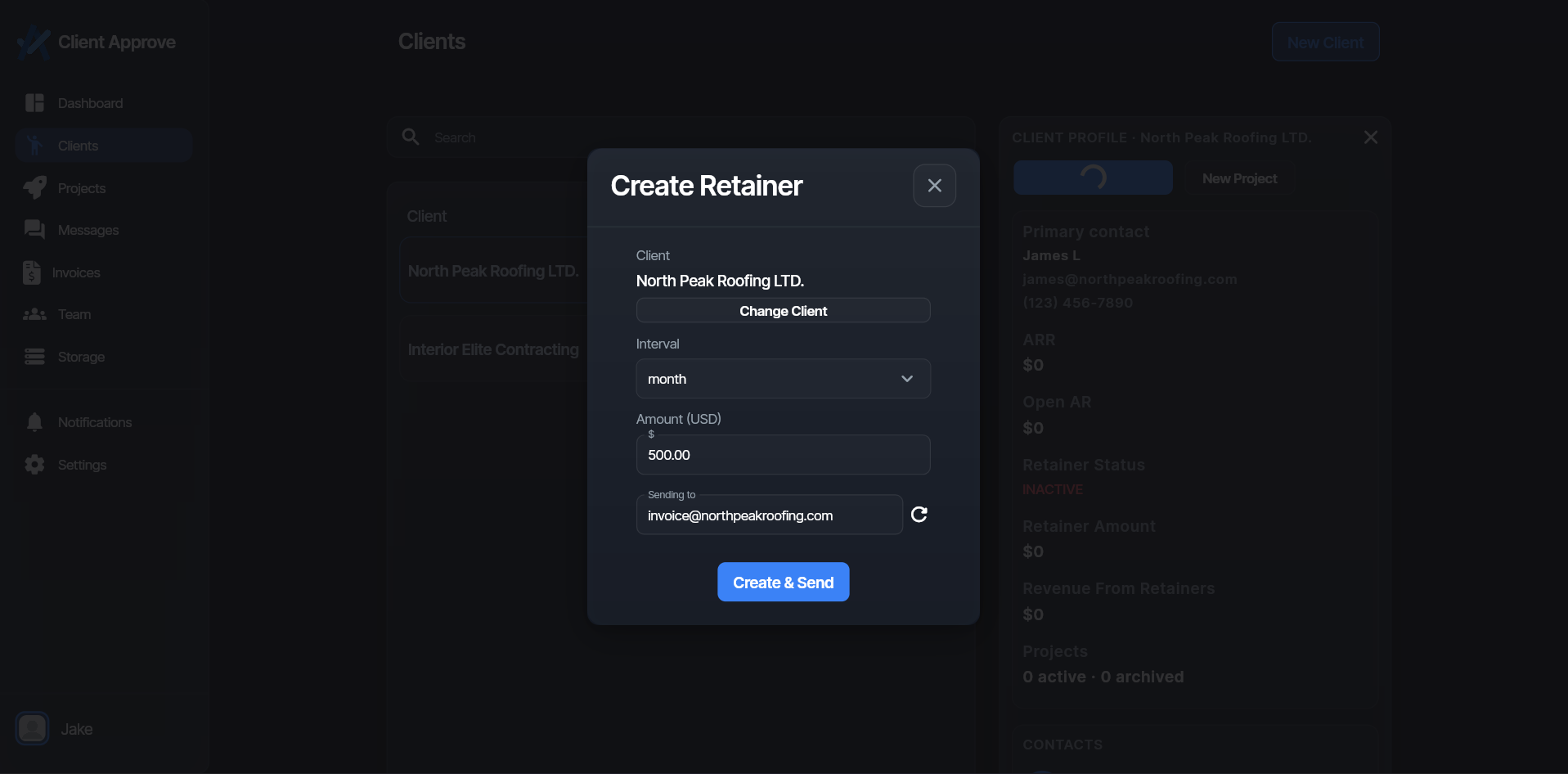
Some clients just need to stay on a steady monthly agreement. Client Approve lets you present retainers as a clean, recurring line item inside their portal — so payments feel consistent instead of improvised.
- Retainer charges shown clearly alongside project work and invoices.
- A professional way to present ongoing billing without awkward back-and-forth.
Every file, comment, and approval — in one shared timeline.
Keep an audit trail that actually helps: comments, file uploads, approvals, and payments roll into a single activity view so you can answer “What happened when?” in seconds.
History that answers questions, not creates them
Clients don’t remember what happened two weeks ago — and you shouldn’t have to guess. Client Approve keeps a clean, chronological record of every file, comment, approval, and payment, so you can reconstruct any project in a few seconds.
- Instantly see what changed, when it changed, and who was involved.
- Turn “Did we send that?” into a 3-second answer.
